Work orders
The operational job: what must be done, for whom, and with which type/closeout rules. Appointments are the visits. A service request is only intake. Dispatch assigns people to visits, not to this record.
Operations → Work orders · /app/w/{workspace}/work-orders · work_orders.view
Purpose
Section titled “Purpose”Keep one job record even when technicians visit twice. Money, forms required on Closeout, and office Complete live here. Execution state lives on the appointment and on each technician assignment.
Creation paths
Section titled “Creation paths”- Office New work order (
work_orders.create) — starts Draft. - Convert a service request.
- Public booking — Draft + appointment (not a request).
- Preventive maintenance generation — Draft.
- Estimate Convert to work order after Accept — explicit convert, not Accept itself.
- Finding corrective follow-up (optional 0..1 WO).
Create from the office
Section titled “Create from the office”- Operations → Work orders → New work order.
- Customer (required). Title (required). Priority (required): Low, Normal, High, Urgent — a sort label, not an SLA and not auto-dispatch.
- Site (optional, recommended).
- Type (optional) — drives forms/photos/signatures on Closeout of each visit, not on office Complete.
- Save. Number
WO-YYYY-######. Status Draft. Field stays empty until Open and a dated assigned visit exists.
Work order profile
Section titled “Work order profile”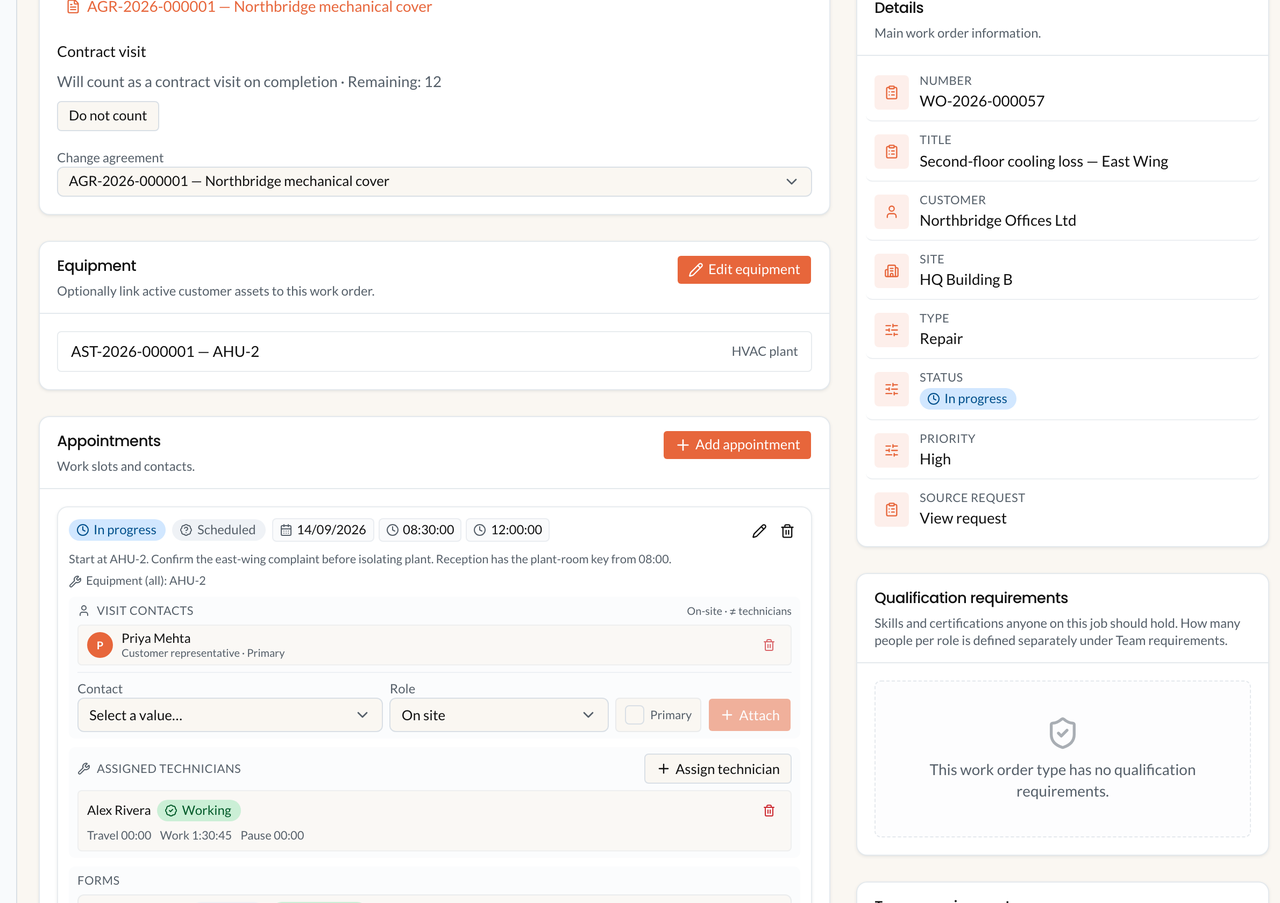
Work-order profile in the office CMS. Sample company data. Technician Closeout lives on the appointment, not on this Complete button.
Lifecycle
Section titled “Lifecycle”| Status | Meaning | Allowed next |
|---|---|---|
| Draft | Not released to Field, even if assigned. | Open, Cancelled |
| Open | Released. Ready to schedule. | In progress, On hold, Completed, Cancelled |
| In progress | At least one visit started, or office clicked Start. | On hold, Completed, Cancelled |
| On hold | Paused (reason required). | In progress, Completed, Cancelled |
| Completed | Office marked the job done. Not terminal. | Closed |
| Closed | Filing done. Terminal. | — |
| Cancelled | Will not be done. Reason required. Terminal. | — |
Complete appointment (Closeout) does not set this status to Completed. Completing the visit while the work order stays Open is normal when more visits remain.
Finish my work ≠ Closeout ≠ Complete
Section titled “Finish my work ≠ Closeout ≠ Complete”| Action | Where | Effect |
|---|---|---|
| Finish my work | Field assignment | Ends your technician work. Does not complete the appointment. |
| Closeout / Complete appointment | Appointment | Visit done (forms/photos/signatures as the type requires; all technicians Finished). |
| Complete | Work order | Office work_orders.complete. Does not check forms or appointment state. |
| Close | Work order | From Completed only. |
I completed today’s visit — why is the work order still Open? Because Closeout finishes the appointment. Click Complete on the work order when the whole job is done (then Close).
Related features
Section titled “Related features”Appointments · Dispatch · Forms · Findings · Service reports · Inventory · Estimates · Visit entitlements (consume on Complete with intent, not Closeout).
Permissions
Section titled “Permissions”work_orders.view, create, update, complete, plus cancel as catalogued. Field does not get office Complete.
Troubleshooting
Section titled “Troubleshooting”- Field empty — still Draft, or no dated assignment.
- New work order for a return visit — add a second appointment instead.
- Assuming Closeout Completes the job.
- Cancelling the work order when only one visit should be cancelled.
People attach to the appointment, not the work order. Field PWA (included with Web) and Veldriq Field (separate Flutter SKU) both execute assigned appointments. They do not create work orders.