Stock
On-hand quantities at stock locations, plus receive, adjust, transfer, and consume. This is not a warehouse ERP, not reserved/available ATP, and not customer assets.
Inventory → Stock · /app/w/{workspace}/inventory/stock · capability + plan feature inventory · inventory.view / receive / adjust / transfer / consume
Capability without plan (or the reverse) hides every inventory child except Catalog. Permissions still apply inside those screens.
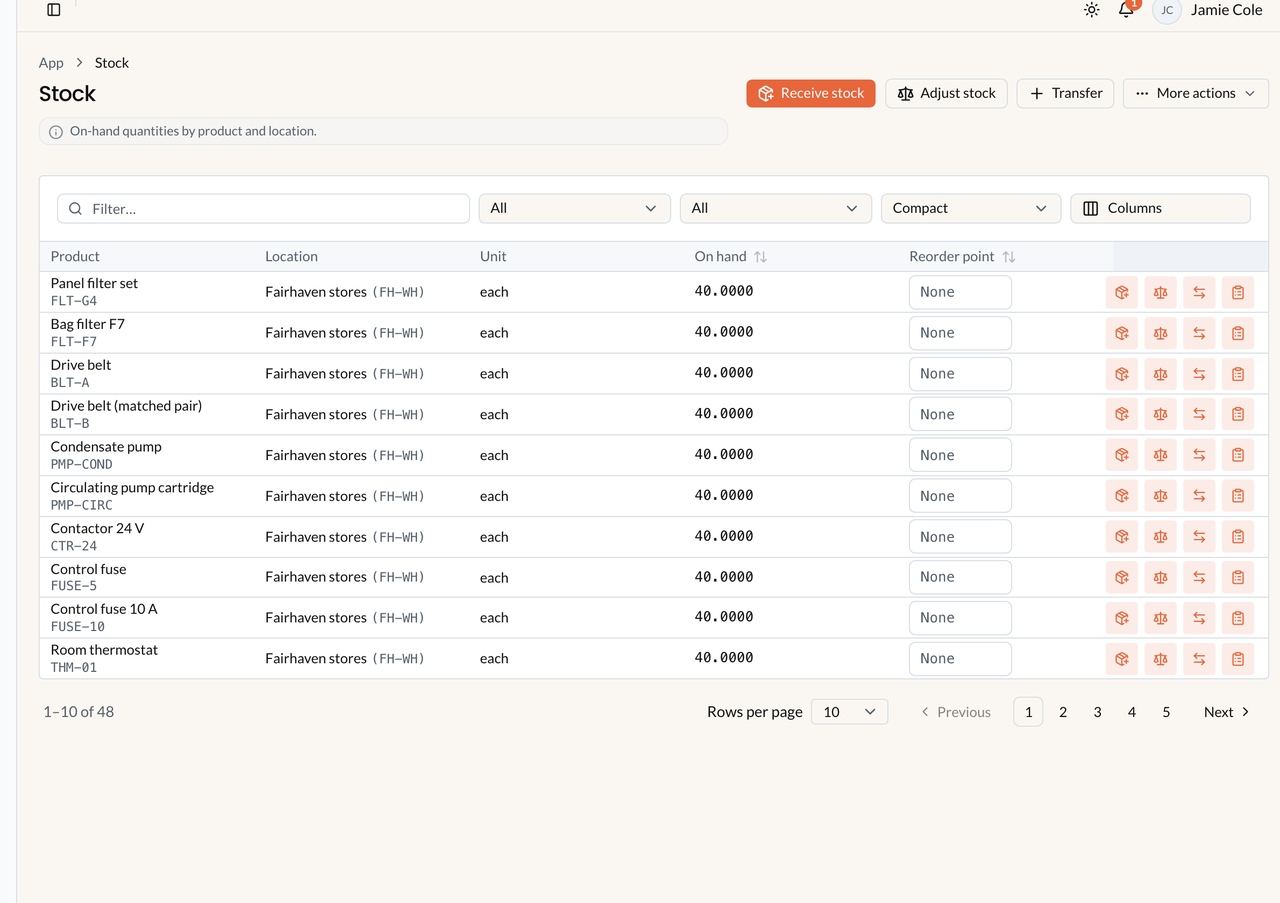
Stock balances. Sample data. Customer equipment is Assets, not this screen. V1 tracks on-hand quantity only — not reserved ATP.
Catalog is not stock
Section titled “Catalog is not stock”A catalog Product can exist with prices and no warehouse rows. Stock appears only when the item is a Product with Track inventory for this product and you receive or adjust into a location. Services never have on-hand.
What V1 tracks
Section titled “What V1 tracks”- On hand only (
quantity_on_hand). There is no reserved quantity and no available-to-promise. - Location types: Warehouse, Vehicle, Other. Optional operational-base link is not the location itself — do not create a location named “Operational Base” and expect Dispatch bases to move stock.
- A van is a Vehicle location. Technicians may have
default_stock_location_idfor Field consume — that is not GPS.
Increase on hand
Section titled “Increase on hand”- Create a Warehouse (or Vehicle) location — Inventory → Stock locations.
- Catalog item: type Product, check Track inventory for this product.
- Either Receive stock (direct receipt — not a purchase order) or issue a PO then Receive. Creating a Draft PO does not add quantity.
- Or Adjust stock to a counted quantity (posts the difference as Adjustment in / out).
Import: /inventory/import. Export stock / movements CSV needs inventory.export.
Decrease on hand (consume)
Section titled “Decrease on hand (consume)”Stock leaves the location when you post a Consumption movement: office actual work-order lines for tracked products, or Field Stock used. That writes an ACTUAL line (often billable) and a movement in one transaction.
Not consume: Appointment Closeout, office work-order Complete, issuing an invoice, approving a parts request, or creating a PO. Invoicing later may pick Actual lines — consume is not auto-invoice.
Transfers
Section titled “Transfers”Inventory → Transfers → Create transfer. Source and destination must differ. The only status is Completed — one atomic step. There is no Draft / In transit / Receive-at-destination workflow. Interactive transfers require sufficient on-hand (require_sufficient).
Negative stock
Section titled “Negative stock”Interactive consume / transfer / fulfill with require_sufficient refuses when on-hand is too low. Field offline replay can still post a consumption that goes negative. Reports → Resources shows Negative stock (values are not clamped). Adjustments may set a counted negative quantity with a warning — that is an authorized correction, not a reservation.
What-if
Section titled “What-if”If stock is missing: item is Product + Track inventory? Looking at the right location (Vehicle vs Warehouse)? PO still Draft? Issue then Receive. Parts request Approved only? Approval does not move stock — Fulfill from stock does.
If Closeout did not change on-hand: expected. Closeout without Stock used does not consume.
Related: Catalog, Locations, Movements, Purchasing, Parts requests.