Localization
The product UI can be switched among the shipped languages: English, French, Spanish, Arabic, German, Italian, Portuguese (Brazil), Turkish, Hindi, Simplified Chinese. Missing strings fall back to English.
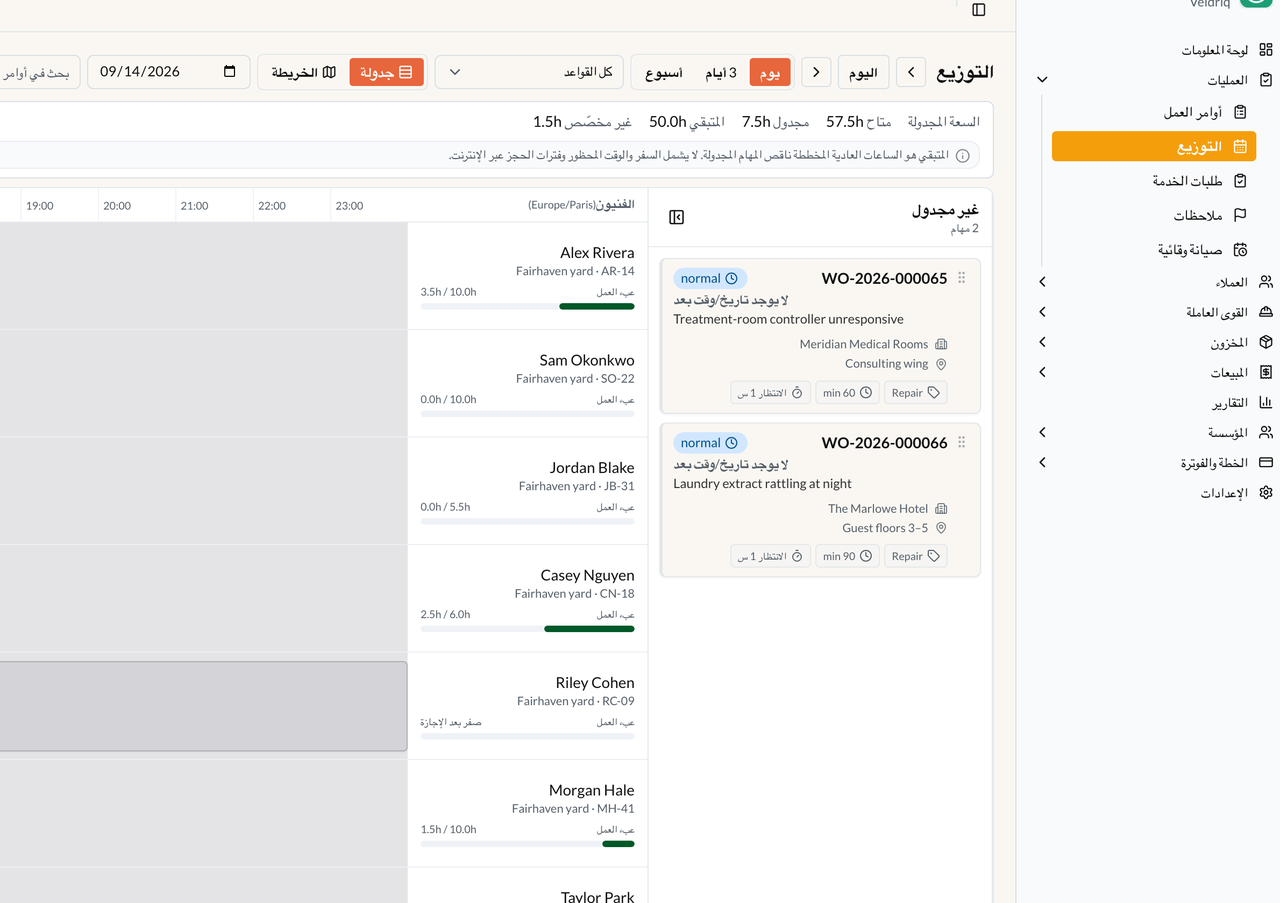
Office CMS in Arabic (RTL). This is language/direction, not the branding-logo form.
This documentation site is English only. Do not expect /fr/ or /ar/ docs in V1. There is no custom-domain locale tree.
Where (workspace)
Section titled “Where (workspace)”Settings → Languages (/app/w/{slug}/settings/languages). Permission workspace.update. Packs offered to this workspace are those ten. Staff: header language switcher (saved on the user). Portal: Account → Language. Arabic is RTL in CMS/Portal HTML.
Platform Admin → Settings → Languages is the vendor catalog, not this workspace page.
Which language is used for email
Section titled “Which language is used for email”The language of the screen you are looking at is not automatically the language of outbound mail.
| Message | What decides the language |
|---|---|
| Estimate sent, invoice sent, receipts, and other customer documents | Contact language, else Customer language, else the workspace default. Stored on the sent snapshot |
| Staff alerts | The staff user’s account language. Empty falls back to the platform default (often English) |
| Portal chrome after login | Portal Account → Language. It does not change Contact/Customer communication language |
If a customer email arrives in English while office staff work in French: open the Contact (then the Customer) and set Language to French, then Send a new estimate/invoice.
Arabic shaping is supported. Hindi has a documented Unicode limitation — prefer English PDFs if Hindi output is garbled.
Add a locale that is not in the list
Section titled “Add a locale that is not in the list”Enabling a shipped pack does not require new files. To add Dutch, Norwegian, Polish, …: create backend/lang/{locale}.json on the server after unzip and /install, then Platform Admin → Settings → Languages → Install language. Adding backend/lang/nl.json does not add Dutch to native Field until you also compile an ARB — see Field localization.